Last updated: November 09, 2026
Mastercam Educational Suite is a dedicated CAD/CAM software licensing package designed for universities, colleges, and vocational institutions. It provides full programming capabilities for Milling, Turning, Wire EDM, and 5-Axis machining, matching commercial industrial versions. This package enables mechanical engineering students to access cutting-edge CNC programming technology, bridging the gap between classroom theory and real-world industrial production.
With the rapid growth of the precision machining industry, equipping students with industry-standard Mastercam skills right in school is key to improving graduate employability and enhancing institutional training prestige.
What is Mastercam Educational Suite? A Detailed Overview of the Educational License
Mastercam Educational Suite is a software version designed by CNC Software LLC specifically for research and teaching at formal educational institutions. This suite offers a comprehensive learning experience with advanced modules such as Mastercam Mill, Lathe, Router, Wire, and Multiaxis. Learn more about educational solutions on the official Mastercam Educational Solutions page.
Unlike feature-restricted trial versions, Mastercam Educational Suite offers full toolpath calculation power, Dynamic Motion cutting optimization algorithms, and realistic 3D machining simulation. This allows students to practice programming complex parts ranging from basic 2D milling to 3D surface milling and advanced multi-axis machining.
The primary technical difference between the Mastercam Educational Suite and the commercial industrial version lies in file management and G-code output mechanisms. Files created in the educational suite are saved in a proprietary format (.EMCX) and cannot be opened directly in commercial versions for production machining. This protects intellectual property while ensuring the entire learning process remains 100% accurate compared to enterprise environments.
5 Reasons Educational Institutions Should Adopt Mastercam Educational Suite
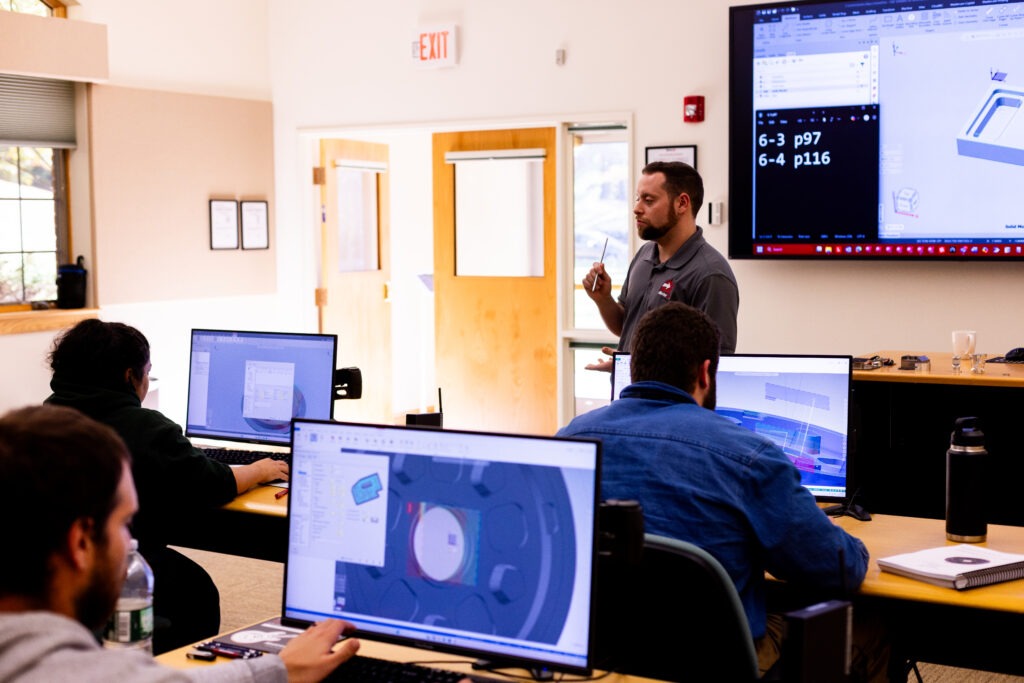
Investing in the Mastercam Educational Suite provides strategic benefits for schools, educators, and mechanical engineering students alike. Here are 5 key advantages that make this suite the top choice for technical training centers worldwide.
- Access full industrial features at discounted educational pricing: Schools gain access to Mastercam’s top-tier features (including 3D milling, 5-axis, and Mill-Turn machining) at special educational license rates significantly lower than commercial pricing.
- Advanced Dynamic Motion cutting technology: Students learn and practice Dynamic Motion technology—a high-speed toolpath optimization solution that reduces cycle times and extends tool life, a mandatory standard in modern factories.
- Flexible Network Licensing setup: The educational package supports centralized license management over a local lab network (LAN). Schools can easily license dozens or hundreds of computers simultaneously in CAD/CAM labs.
- Bridging the gap between education and employment: Foreign direct investment (FDI) enterprises and manufacturing suppliers widely rely on Mastercam. Students proficient in Mastercam Educational Suite can enter the workforce and operate CNC machinery immediately without requiring retraining.
- Global standard curriculum and learning resources: CNC Software LLC offers a rich ecosystem of reference materials. Instructors can consult official Mastercam documentation to build structured, up-to-date lesson plans.

Comparing Mastercam Educational Suite with Learning Edition and Commercial Versions
To help educators and learners clearly distinguish between available Mastercam options, the comparison table below outlines technical criteria and target use cases for each version:
| Comparison Criteria | Mastercam Learning Edition (Demo / Home Learning) | Mastercam Educational Suite (Educational License) | Mastercam Commercial (Commercial License) |
|---|---|---|---|
| Target Purpose | Personal self-study, UI exploration | Instruction at universities, vocational schools | Commercial manufacturing in machine shops / factories |
| File Format | .EMCX (Not compatible with commercial version) | .EMCX (Dedicated to educational systems) | .MCAM (Standard commercial format) |
| G-Code Output | No G-code posting supported (Locked Post) | Supports G-code post-processing via specific educational post-processors | Full G-code output for all CNC machine types |
| Included Modules | Limited to select simulation features | Full suite (Mill, Lathe, Router, Wire, Multiaxis) | Purchased as individual module packages |
| Licensing Method | Free download (Time-limited license) | Network License or USB Dongle | Perpetual license or subscription |
| Technical Support | Self-guided via community forums | Fully supported by authorized resellers | Dedicated 1-on-1 technical support from authorized reseller |
Key Technical Features of Mastercam Educational Suite
Mastercam Educational Suite provides a comprehensive programming environment covering everything from basic to advanced mechanical engineering courses.
1. Advanced 2D and 3D Milling (Mastercam Mill)
The educational suite allows instructors to guide students through facing, pocketing, contouring, and automated hole-making strategies. For 3D machining, it integrates complete surface finishing toolpaths such as Scallop, Waterline, Parallel, and Equal Scallop, helping students master complex 3D surface machining concepts.
2. Turning and Mill-Turn Programming (Mastercam Lathe & Mill-Turn)
The turning module supports roughing, finishing, grooving, threading, and center drilling. Students also learn Mill-Turn machine configurations combining milling and turning in a single setup, understanding spindle synchronization and turret management.
3. Multi-Axis 4-Axis and 5-Axis Machining (Mastercam Multiaxis)
5-axis machining represents the peak of CNC programming expertise. Mastercam Educational Suite includes simultaneous 4-axis and 5-axis strategies (such as Swarf Milling, Multi-blade Impeller, Port Expert). Students learn to control tool axis vectors and avoid tool/holder collisions in 3D space.
4. Wire EDM and Router Programming (Mastercam Wire & Router)
Beyond milling and turning, the educational suite supports 2-axis and 4-axis Wire EDM with precise taper angle and lead-in/lead-out control. The Router module supports woodworking, sheet metal, and composite material processing with optimized nesting features.
Implementation Process for Mastercam Educational Suite in Schools
To establish an industry-standard CAD/CAM lab, universities and vocational training centers can follow this standardized 4-step process:
- Assess lab requirements and scope: Determine the number of workstation licenses needed, hardware specs (CPU, RAM, dedicated GPU), and curriculum objectives.
- Apply for educational licensing: Educational institutions partner with an official Mastercam authorized reseller to verify educational status and receive discounted quotes.
- Install and configure Server License: Technicians set up the License Manager on the lab server to distribute licenses to student workstations across the local network.
- Instructor training and curriculum update: Application engineers conduct Train-the-Trainer sessions, guide instructors on new features, and provide direct access to Mastercam technical support when needed.
The Role of Authorized Reseller Solid & Soft in Educational Support
In Vietnam, Solid & Soft is an official Authorized Reseller of Mastercam. Serving as a bridge between software developer CNC Software LLC and academic institutions, Solid & Soft not only provides genuine licenses but also offers comprehensive support solutions for educational facilities.
When equipping labs with Mastercam Educational Suite through Solid & Soft, institutions gain:
- Tailored licensing recommendations optimized for institutional budgets and lab sizes.
- Prompt technical troubleshooting, installation, and local support delivered by experienced application engineers.
- Technology transfer training programs specifically designed for Mechanical & Manufacturing Engineering faculty.
- Partnerships in technology seminars and talent-matching initiatives connecting students with Mastercam-using enterprises.
Investing in Mastercam Educational Suite is a strategic step for educational institutions to raise training quality, align student skillsets with international industrial standards, and contribute high-quality technical talent to the precision manufacturing sector.