Last updated: October 26, 2026
The official release of mastercam 2026 introduces key advancements in toolpath algorithms, advanced CNC simulation, and manufacturing workflow automation. Powered by next-generation Dynamic Motion technology and enhanced multiaxis optimization, this version enables machine shops to reduce cycle times by up to 30% while maximizing cutting tool life.
In this technical article, the application engineering team at Solid & Soft — an authorized Mastercam reseller — provides a comprehensive analysis of the new features in mastercam 2026, along with migration steps and a detailed license comparison.
What is Mastercam 2026? Definition and Industry Positioning
Mastercam 2026 is a leading Computer-Aided Manufacturing (CAM) software solution developed by CNC Software LLC. It delivers complete programming solutions for Milling, Turning, Mill-Turn, Wire EDM, and industrial robotics.
From a technical standpoint, Mastercam 2026 serves as an intelligent toolpath optimization engine rather than a basic 3D CAD-to-G-code converter. Featuring advanced Arc Material Engagement controls, it ensures consistent cutting loads even when machining challenging materials such as Titanium, Inconel, and hardened alloy steels.
According to benchmarks published on the official Mastercam website, the 2026 release processes large CAD files up to 40% faster while significantly reducing manual setup time for stock and workholding.
5 Standout Improvements in Mastercam 2026 for Programmers
1. Breakthroughs in Dynamic Motion and 3D High Speed Toolpaths
Dynamic Motion technology in Mastercam 2026 remains central to high-efficiency roughing. The updated algorithm dynamically adjusts feed rates in real time based on chip thinning factors.
- Deep Cavity Optimization: OptiRough toolpaths automatically re-calculate vertical stepdowns and horizontal stepovers to maintain a constant cutting load.
- Reduced Air Cuts: Non-cutting rapid repositioning (G00/G01) moves are reduced by up to 25% when transitioning across machining regions.
- Vibration Control: Smoother cornering transitions reduce machine shock, friction, and spindle wear.
2. Enhanced Multiaxis Machining and 5-Axis Deburring
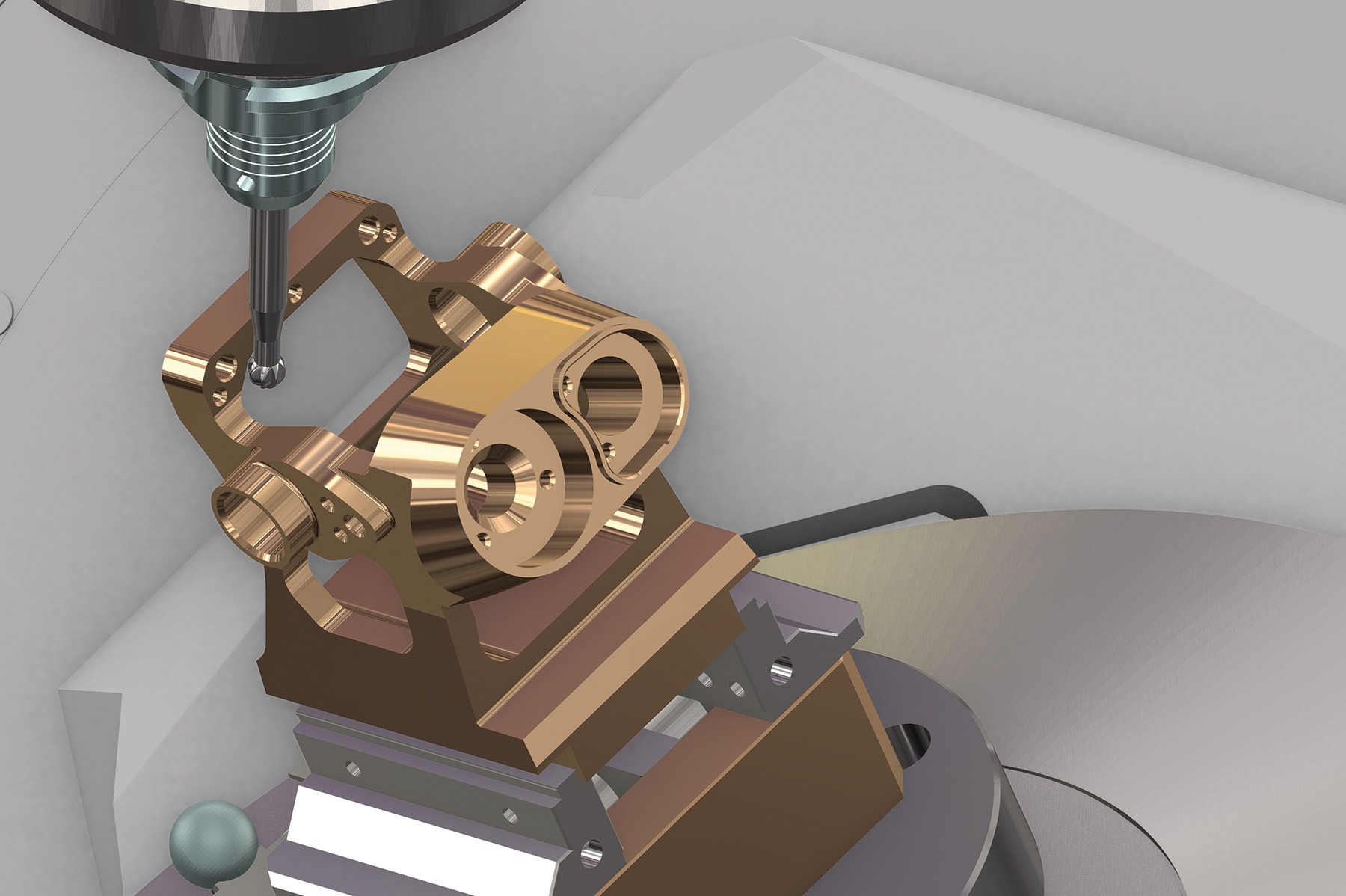
Programming 4-axis and 5-axis operations in Mastercam 2026 offers enhanced safety and simplicity. The automatic deburring feature uses smart geometry recognition to detect sharp edges across complex 3D models.
- Automatic Edge Detection: Eliminates manual contour selection. The algorithm scans the model and suggests optimized deburring paths automatically.
- Advanced Tool Axis Control: Intelligent tilting modes prevent collisions between the tool holder, fixtures, and adjacent surfaces.
- Upgraded Swarf Milling: Delivers superior surface finishes along sidewalls without gouging or tilt-induced feed marks.
3. Standardized 3D Tool Manager and Machine Definition
Tool library creation in Mastercam 2026 aligns with international standards, streamlining tool data sync based on recommendations from major cutting tool manufacturers like Sandvik Coromant, Iscar, and Seco Tools. Recommended cutting speeds (Vc) and feed per tooth (fz) can be verified using resources such as the Sandvik Coromant technical guide.
- ISO 13399 STEP Model Support: Direct import of 3D inserts and tool holders from manufacturers enables 100% accurate simulation.
- Tree-Based Machine Definition: Simplifies CNC machine kinematics setup, accurately supporting X, Y, Z, A, B, and C axis movements.
4. Optimized Mill-Turn and True Machine Simulation
Complex multi-tasking centers carry high collision risks, especially when facing issues like Mastercam Verify false positives caused by inaccurate kinematic modeling. Mastercam 2026 provides a highly realistic simulation environment.
- Multi-Channel Synchronization: Intuitive drag-and-drop interface for sequencing operations between the main spindle and sub-spindle.
- Real-Time Stock Removal: Displays remaining stock down to the micron in real time.
- Proactive Collision Detection: Automatically halts simulation and highlights interference between tools, workpieces, chuck jaws, and turrets.
5. User Interface Enhancements and API Automation
The updated user interface leverages modern UX principles and integrates key hidden features in Mastercam to reduce unnecessary mouse clicks.
- Panel-Based Control: Parameters are logically grouped, accompanied by a quick-search function for technical terms.
- CAD/CAM Automation: Using C# and Python, programmers can write custom scripts to automate repetitive tasks like hole recognition and batch drilling. You can learn how to create a MyMastercam account and access the MyMastercam documentation portal to download official API code samples.
Mastercam 2026 License Tier Comparison
To help organizations choose the right module for their production requirements and budget, the table below highlights the feature sets across official Mastercam 2026 license tiers:
| Feature / Capability | Mastercam Mill Entry | Mastercam Mill | Mastercam Mill 3D | Mastercam Multiaxis |
|---|---|---|---|---|
| 2D / 2.5D Machining (Contour, Drill, Pocket) | Yes | Yes | Yes | Yes |
| 2D Dynamic Motion Roughing | Limited | Yes | Yes | Yes |
| 3D Surface High Speed Machining | No | Single surface | Full model | Full model |
| 3D OptiRough Toolpaths | No | No | Yes | Yes |
| Simultaneous 4-Axis & 5-Axis Machining | No | No | No | Yes (Includes 5-Axis) |
| Automatic 5-Axis Deburring | No | No | No | Yes |
| Target Application | Basic machine shops, hole drilling | General parts, simple fixtures | 3D moldmaking and die shops | Aerospace, medical, impellers/blades |
4-Step Guide to Migrating and Optimizing Workflows in Mastercam 2026
To ensure a smooth transition from previous releases (Mastercam 2023, 2024, 2025) without disrupting active production, follow this 4-step migration process:
- Back Up Legacy Configuration Files: Save your existing
Post Processor,Tool Library, andDefaultsdirectories to a separate location. - Run the Migration Wizard: Launch Mastercam 2026 and navigate to
File -> Convert -> Migration Wizard. Select the path to your previous version to update file formats automatically. - Validate Post Processors: Generate G-code for a test program and verify syntax (M-codes, G-codes) against your target CNC controllers (Fanuc, Heidenhain, Siemens, Mitsubishi).
- Configure Safety Clearances: Update Retract Height and Clearance Plane parameters under Machine Group Properties.
Minimum and Recommended System Requirements for Mastercam 2026
Because Mastercam 2026 utilizes multi-threaded toolpath calculations and complex 3D graphics rendering, meeting hardware recommendations is key to optimal performance.
- Operating System: Windows 11 Enterprise or Professional 64-bit (latest updates).
- Processor (CPU): Intel Core i7 / i9 (13th/14th Gen) or AMD Ryzen 7 / 9 with 3.8 GHz+ base clock (high single-core performance preferred).
- Memory (RAM): 32 GB DDR4/DDR5 minimum (64 GB recommended for 3D molds and 5-axis work).
- Graphics Card (GPU): NVIDIA RTX A2000 / A4000 or NVIDIA GeForce RTX 4070 or higher, 8 GB vRAM minimum, OpenGL 4.3 support.
- Storage: NVMe M.2 SSD with at least 100 GB of free space for scratch files and OptiRough processing.
Why Upgrade to Mastercam 2026 through Solid & Soft?
Solid & Soft Co., Ltd. is an Authorized Mastercam Reseller in Vietnam. Investing in your Mastercam 2026 license through Solid & Soft grants access to official software alongside dedicated technical support services:
- Tailored Software Selection: On-site assessment of your CNC equipment to recommend the right package (Mill, Lathe, Multiaxis) and maximize ROI.
- Technical Training: On-site or online training delivered by experienced application engineers, covering foundational to advanced CAM techniques.
- Custom Post Processor Development: Tailored G-code post processors built to match your specific CNC machinery and controller requirements.
- Ongoing Technical Assistance: Prompt troubleshooting via TeamViewer, UltraViewer, or direct on-site support.
Contact Solid & Soft today for an official Mastercam 2026 quote or to request a software demonstration.