Last updated: October 26, 2026
In the pursuit of optimizing modern precision manufacturing workflows, deciding between EDGECAM vs SolidCAM represents a key strategic choice for technical managers and machine shop owners. Both platforms rank among the world’s leading Computer-Aided Manufacturing (CAM) solutions, with tens of thousands of active licenses deployed across aerospace, automotive, medical, and mold & die manufacturing sectors. However, when evaluating EDGECAM vs SolidCAM side by side, each software reveals distinct development philosophies, technological strengths, and optimal application environments.
EDGECAM—the flagship CAM brand under industrial metrology and manufacturing technology leader Hexagon Manufacturing Intelligence (learn more about Hexagon in precision machining)—has established its leadership through powerful programming automation, multi-axis machine management, and native CAD data interoperability. SolidCAM, on the other hand, stands out for its tight single-window integration inside SOLIDWORKS and its proprietary iMachining technology. This article delivers a comprehensive technical analysis of EDGECAM vs SolidCAM to help manufacturers make informed investment decisions.
Overview of EDGECAM and SolidCAM in CNC Machining
To understand the core differences between EDGECAM vs SolidCAM, it is essential to first review their technological foundations and architectural approaches.
EDGECAM was built as a dedicated standalone CAM system engineered specifically for complex CNC programming—spanning 2.5D milling, 3D surface machining, simultaneous 4/5-axis milling, and multi-spindle, multi-turret Mill-Turn applications. A defining capability of EDGECAM is its ability to open and process native CAD files directly from Autodesk Inventor, SOLIDWORKS, PTC Creo, Siemens NX, and CATIA without intermediate format conversions (such as STEP or IGES). Powered by Strategy Manager and Automatic Feature Recognition (AFR), EDGECAM enables shops to standardize machining processes and dramatically cut programming time for family parts and repetitive geometries.
SolidCAM takes a single-window integrated approach, embedded directly inside popular CAD platforms like SOLIDWORKS and Autodesk Inventor. Certified as a Gold-Partner for SOLIDWORKS, SolidCAM allows programmers to execute all CAM workflows within their familiar CAD environment. SolidCAM’s cornerstone feature is iMachining—a patented high-speed roughing technology that automatically calculates speeds, feeds, and step-downs based on material properties, cutting tool specifications, and machine dynamics.
Detailed Technical Comparison: EDGECAM vs SolidCAM
When assessing EDGECAM vs SolidCAM for production environments, engineers should evaluate six core technical criteria:
| Criteria | EDGECAM (Hexagon) | SolidCAM |
|---|---|---|
| Architecture | Standalone platform with native cross-CAD data import capabilities. | 100% single-window integration inside SOLIDWORKS & Autodesk Inventor. |
| High-Speed Roughing (HSM) | Waveform Roughing – Maintains constant tool engagement and cutting load. | iMachining – Automated calculation of feeds, speeds, and axial depths. |
| Feature-Based Machining (FBM) | Advanced Strategy Manager with robust Automatic Feature Recognition (AFR). | Automated Hole Recognition and template-based operations. |
| Mill-Turn & MTM Support | Industry-leading multi-axis, multi-turret, B-axis support with precise collision detection. | Strong support for standard and advanced Mill-Turn configurations. |
| Post-Processor Customization | Graphical Code Wizard for intuitive, in-house post-processor customization. | GPP language-based; often requires specialized programmer configuration. |
| Ecosystem Expansion | Seamless connection across Hexagon: CMM, PC-DMIS, NCSIMUL, VISI, Esprit. | Tightly connected with the SOLIDWORKS partner ecosystem. |
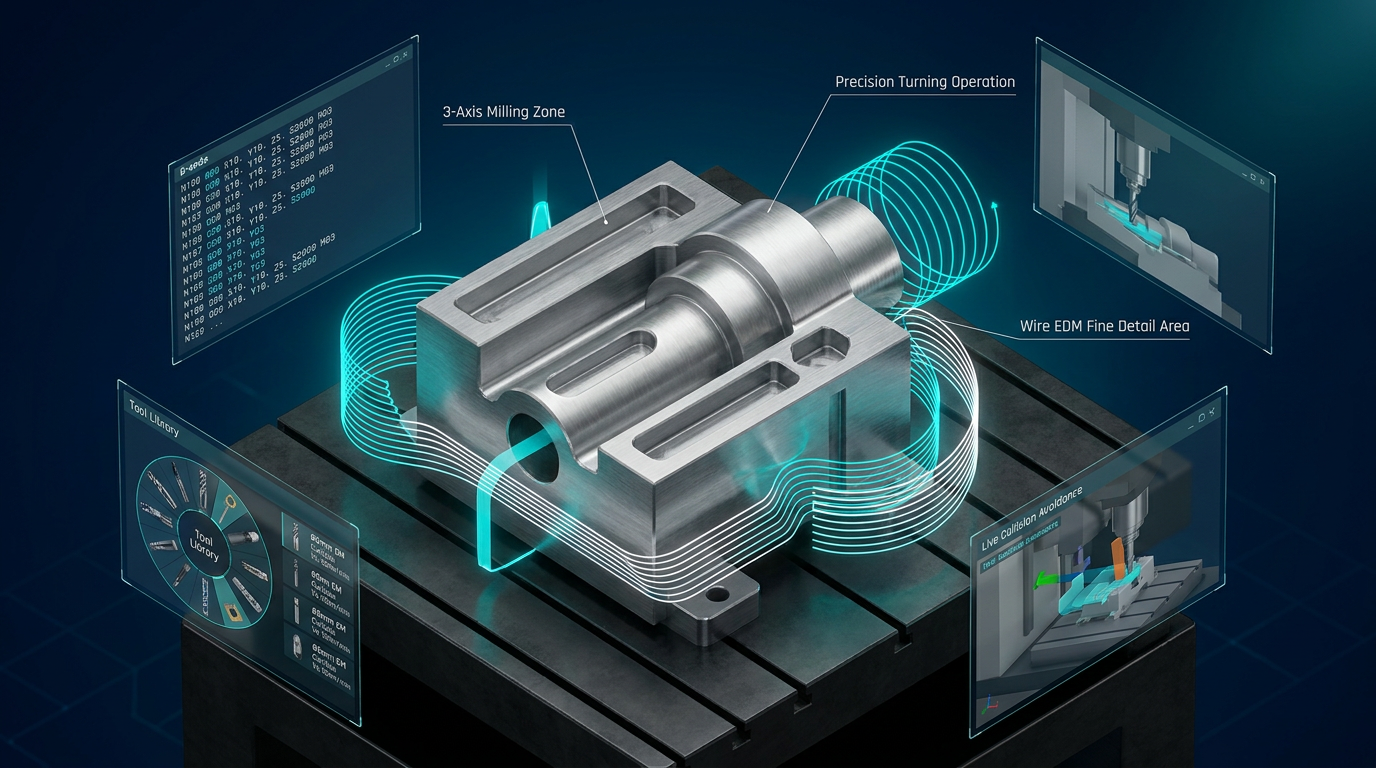
Deep Dive into High-Speed Roughing: EDGECAM Waveform vs SolidCAM iMachining
High-speed roughing strategies represent a critical focal point when comparing EDGECAM vs SolidCAM. Both developers have engineered advanced algorithms to address the core manufacturing challenge: maximizing Material Removal Rate (MRR), reducing cycle times, and extending tool life.
1. EDGECAM Waveform Roughing Technology
Waveform Roughing is an advanced high-speed machining strategy developed by Hexagon. The Waveform algorithm continuously calculates toolpaths to maintain a constant Tool Engagement Angle and radial chip load throughout the cut. Key benefits include:
- Elimination of Shock Loads: When entering tight corners or changing direction, Waveform automatically adjusts toolpaths into smooth trochoidal or wave-like motions, preventing tool breakage caused by sudden overload.
- Full Flute Length Utilization: Instead of taking shallow axial cuts (small Ap, large Ae), Waveform utilizes the full flute length (large Ap, small Ae), distributing wear evenly across the tool and significantly boosting tool longevity.
- Optimized for Tough Materials: Waveform excels when machining difficult-to-cut alloys such as titanium, Inconel, stainless steel, and hardened tool steels common in aerospace and medical applications.
2. SolidCAM iMachining Technology
SolidCAM centers its roughing capability around its patented iMachining system. The primary differentiator of iMachining is its integrated Technology Wizard:
- Automated Feed & Speed Calculation: Engineers input part material, machine parameters, and tool dynamics; the Technology Wizard then automatically computes optimal spindle RPM, feed rate, step-down, and engagement angles.
- Morphing Spiral Toolpaths: iMachining generates continuously morphing spiral toolpaths that maximize tool-to-stock contact and eliminate air cutting.
- Reduced Learning Curve: The automated wizard enables less experienced programmers to produce efficient toolpaths without extensive trial-and-error.
Comparing EDGECAM vs SolidCAM in this area, EDGECAM’s Waveform offers experienced engineers granular control over geometric parameters and toolpath behavior, while SolidCAM’s iMachining streamlines setup through intelligent automated calculations.
Key Advantages of EDGECAM within the Hexagon Ecosystem
EDGECAM goes beyond standalone CAM functionality; it serves as a central component within the end-to-end digital manufacturing ecosystem of Hexagon Manufacturing Intelligence. This backing offers several distinct competitive edges:
1. Automated Programming with Strategy Manager
Process automation is one of EDGECAM’s defining capabilities. Using Strategy Manager, shops can capture their proven machining practices and expert knowledge into automated logic flowcharts. When importing a new CAD model, EDGECAM analyzes the geometry, identifies features such as holes, pockets, and bosses, and automatically applies toolpaths, cutting tools, and machining parameters. This can reduce programming time by up to 80% on repetitive or family-of-parts production.
2. Advanced Mill-Turn & Multi-Tasking Machine (MTM) Programming
Programming multi-tasking centers featuring main/sub-spindles, lower/upper turrets, and tilting B-axes presents significant complexity. EDGECAM is widely recognized for its robust Mill-Turn capabilities. The software provides dynamic Gantt chart synchronization, real-time collision checking, and accurate full-machine simulation. Companies reviewing software investment options can explore details regarding genuine EDGECAM software pricing and licensing configurations.
3. Integrated On-Machine Inspection (In-Process Inspection)
Leveraging Hexagon’s metrology heritage, EDGECAM incorporates the EDGECAM Inspect module. Programmers can integrate probing routines directly into the CNC cycle to measure workpieces, align origin offsets, or verify critical dimensions before un-clamping. Measurement data seamlessly feeds back into quality management systems, supporting smart digital factory initiatives.
Key Advantages of SolidCAM in the SOLIDWORKS Environment
For operations built entirely around SOLIDWORKS, the choice between EDGECAM or SolidCAM often shifts toward SolidCAM due to its native CAD-embedded workflow.
1. Seamless Integration with SOLIDWORKS
SolidCAM operates inside the SOLIDWORKS feature tree, ensuring complete parametric associativity. When design engineers modify dimensions on the CAD model, CAM toolpaths automatically update without requiring re-programming or file re-imports.
2. User-Friendly & Easy-to-Learn Interface
By using SOLIDWORKS’ familiar interface, navigation tools, and shortcuts, SolidCAM minimizes training time. Design engineers already proficient in SOLIDWORKS can quickly learn to generate basic machining programs.
Multi-Axis & Mill-Turn Machining Comparison: EDGECAM vs SolidCAM
Handling complex multi-axis and multi-tasking operations requires robust CAM capabilities from both platforms.
1. 5-Axis Simultaneous Machining Programming
Both EDGECAM and SolidCAM offer comprehensive 5-axis strategies, including 3+2 positional milling, continuous 5-axis machining, automatic collision avoidance, and tool axis tilt control.
- EDGECAM: Provides granular control over tool vector orientations and toolpath limits, performing exceptionally well on complex aerospace impellers, blisks, and deep mold cavities. Collision checking against fixtures, holders, and stock maintains absolute precision.
- SolidCAM: Features the Sim5X module, delivering specialized strategies like Swarf machining, 5-axis Contour, and Multi-blade toolpaths. Combined with 3D iMachining, 5-axis roughing becomes straightforward to deploy.
2. Post-Processor Engine & CNC Simulation
The post-processor acts as the critical bridge translating CAM toolpaths into machine-specific G-code (Fanuc, Heidenhain, Siemens, Mazak, Haas, etc.):
- EDGECAM Code Wizard: A graphical post-processor creation tool that allows engineers to configure and fine-tune complex multi-axis post-processors visually without writing raw code from scratch. This grants shops full independence from third-party developers when configuring new machines.
- SolidCAM GPPTool: Utilizes file-based GPP language scripting. Customizing advanced post-processors typically requires deeper programming expertise or dedicated assistance from technical partners.
Which Should You Choose: EDGECAM or SolidCAM?
Selecting between EDGECAM vs SolidCAM depends on your operational priorities, existing software infrastructure, and production requirements:
1. Choose EDGECAM When:
- Your operations focus on aerospace components, automotive parts, medical devices, or high-precision mechanical components requiring advanced automation.
- You work with diverse native CAD formats from various clients (SOLIDWORKS, Creo, NX, CATIA, Inventor) and need direct file import without translation errors.
- Your facility operates complex multi-tasking CNC equipment, including multi-turret, multi-spindle Mill-Turn machines.
- You aim to integrate CAM programming with broader metrology, quality control, and NCSIMUL G-code simulation software within the Hexagon ecosystem.
2. Choose SolidCAM When:
- Your engineering team uses SOLIDWORKS as its primary design tool and wants a single-window workflow.
- Your primary production consists of 2.5D/3D prismatic parts, structural components, or standard mold bases.
- You prefer automated feed/speed technology via iMachining to simplify setup without manual parameter entry.
- You want a unified CAD/CAM interface to streamline team training and cross-departmental operations.
As an authorized Hexagon distributor in Vietnam, Solid & Soft provides complete technical consulting, technology transfer, and post-processor development for Hexagon’s CAM portfolio, including EDGECAM, VISI, and Esprit. Our technical team offers hands-on benchmarking to help manufacturers rigorously evaluate EDGECAM vs SolidCAM on their actual components prior to investment.
Conclusion
Comparing EDGECAM vs SolidCAM is not about declaring a single winner, but identifying the solution that best aligns with your machinery, personnel skills, and long-term business goals. EDGECAM excels in multi-CAD flexibility, process automation via Strategy Manager, complex MTM machine control, and Hexagon metrology integration. SolidCAM wins on seamless SOLIDWORKS integration and intuitive automated roughing with iMachining. Selecting the right CAM platform equips manufacturers to boost productivity, shorten lead times, and drive long-term profitability.