
Last updated: November 09, 2026
A modern virtual data room for professional services (VDR) is an indispensable digital infrastructure designed to protect, manage, and distribute sensitive corporate documents. In an era marked by rapid digital transformation and complex cyber threats, law firms, audit agencies, investment banks, and management consultancies face unprecedented risks regarding unauthorized data exposure and intellectual property theft.
Implementing an advanced virtual data room architecture guarantees robust file protection, granular access control, and actionable analytics on recipient engagement. Integrated seamlessly into the broader Dropbox ecosystem, DocSend provides professional services organizations with an agile, highly secure, and cost-effective data-sharing environment.
This comprehensive guide explores the operational strategic necessity, core security mechanisms, comparative industry benchmarks, and a step-by-step methodology for setting up an enterprise-grade secure data room tailor-made for advisory and professional service entities.
Why Firms Require a Virtual Data Room for Professional Services
Professional services organizations operate in high-stakes environments where trust, confidentiality, and regulatory compliance form the bedrock of business continuity. Law practices, accounting agencies, tax consultancies, and M&A advisors handle confidential financial records, proprietary legal strategies, unannounced earnings statements, and complex valuation models daily.
Transmitting strategic files via traditional email attachments or standard cloud file links presents severe security vulnerabilities. Once a file is downloaded from an email or a unsecured shared folder, the sender entirely forfeits control over where that document travels. Unintended recipients can forward, duplicate, print, or store confidential records on unprotected personal devices without the originator’s consent.
To address concerns regarding whether Dropbox is secure, the underlying platform continuously upgrades its enterprise architecture with rigorous encryption protocols (AES 256-bit at rest and TLS/SSL in transit). Utilizing a dedicated virtual data room for professional services elevates document governance, maintaining absolute oversight over critical deal information throughout its operational lifecycle.
According to Dropbox’s enterprise solution documentation, adopting a specialized VDR environment yields substantial strategic advantages:
- Enforcing precise Dropbox file access permission management to restrict unauthorized downloading, printing, screen-capture, or redistribution.
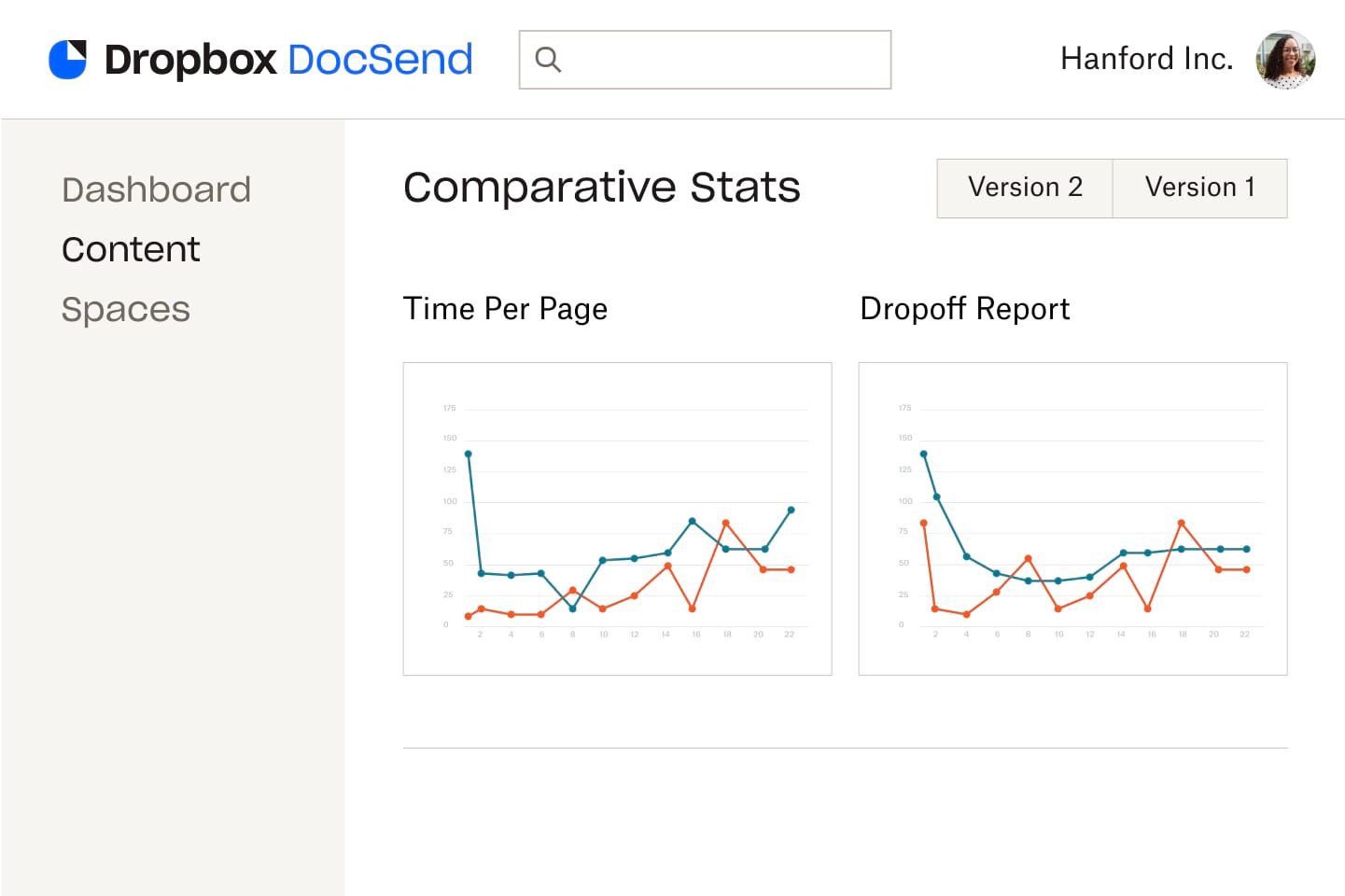
- Capturing minute-by-minute viewing analytics, page-level engagement metrics, and individual recipient interaction profiles.
- Instantly updating or revoking access rights retroactively, even while an external recipient actively reviews the document.
- Embedding dynamic, personalized watermarks containing viewer IP addresses and timestamps to prevent screen capturing and unauthorized distribution.
Core Features of a Virtual Data Room for Professional Services in DocSend
DocSend transforms traditional static document sharing into an interactive, high-security transaction platform. Rather than dealing with cumbersome software installations or rigid legacy systems, professional firms can manage multi-layered file repositories inside a browser-based portal.
When deploying a modern virtual data room for professional services, DocSend delivers key security features designed specifically for advisory workflows:
- Domain-Restricted & Passcode Access: Restrict link access to approved email domains or require one-time passcodes (OTP) delivered directly to authorized email inboxes.
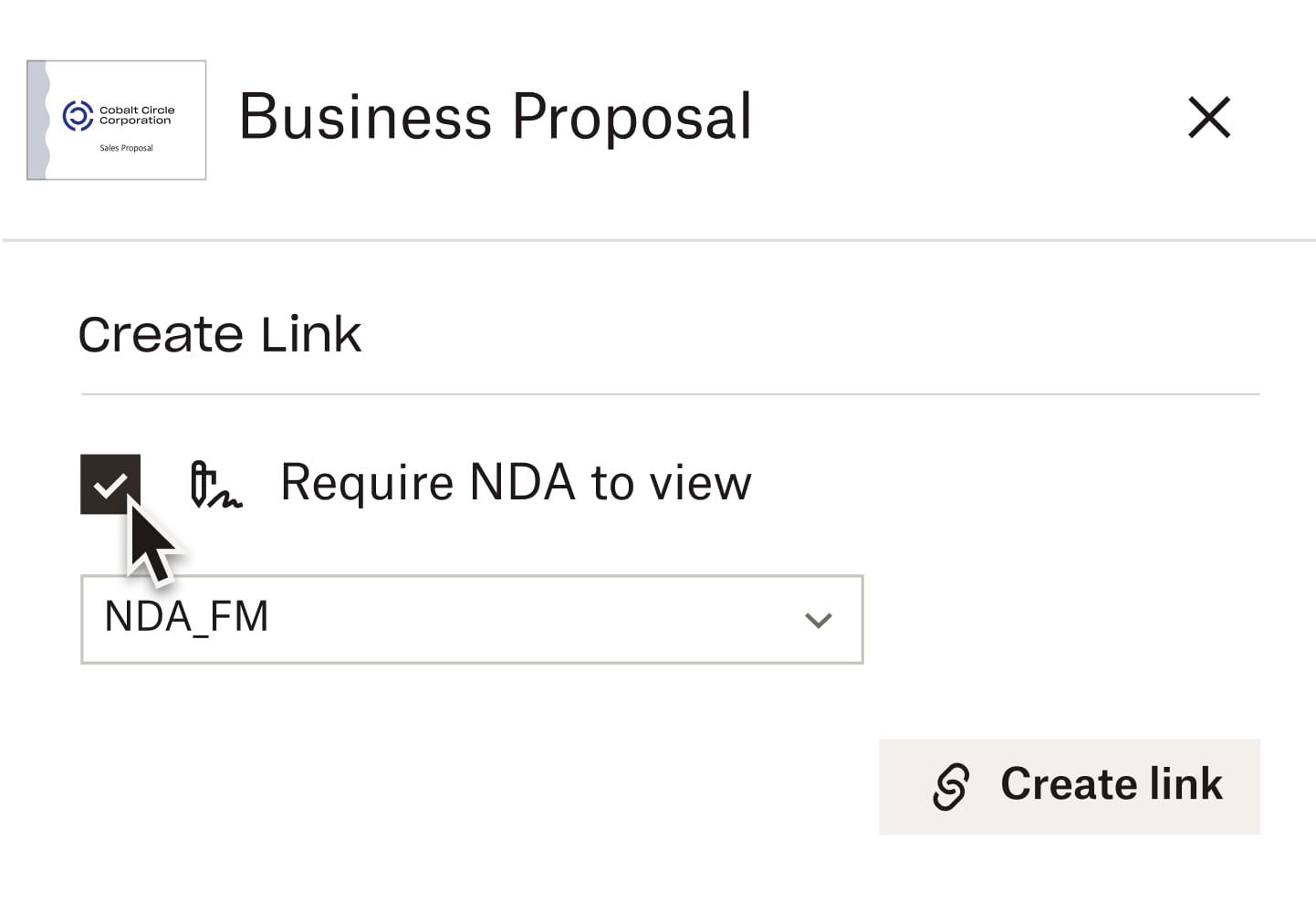
- One-Click In-Viewer NDA Gateways: Enforce Non-Disclosure Agreement (NDA) signatures directly within the document viewer prior to granting access to confidential project files.
- Download Disabling & Dynamic Watermarking: Render documents in view-only mode while projecting dynamic watermarks with recipient email addresses and IP details over every slide or page.
- Unified Link Version Control: Update underlying documents to newer iterations seamlessly without modifying the target URL distributed to external stakeholders.
- Customized Room Branding: Tailor the data room aesthetic with enterprise logos, custom color schemes, and professional splash pages to reinforce brand credibility during deal transactions.
For detailed compliance documentation covering SOC 2 Type II, ISO 27001, HIPAA, and GDPR standards, refer to the official Dropbox security page.
Deep-Dive Security Architecture and Threat Mitigation
Data security within modern professional service firms must extend beyond passive storage protection. DocSend’s architecture emphasizes real-time data governance, shielding intellectual property against both internal inadvertent leaks and external malicious threats.
The platform enforces strict zero-trust principles for external sharing. When external advisors or prospective buyers access files within a DocSend VDR, documents are served as encrypted streams rather than raw downloadable assets. This architecture mitigates risks related to caching files on untrusted endpoint devices.
Furthermore, automated link expiration rules permit administrators to define explicit lifetime thresholds for shared spaces. Once an M&A due diligence phase closes or an audit cycle concludes, link access automatically terminates, safeguarding proprietary records without requiring manual review by IT teams.
Comparison: Traditional Data Rooms vs. Standard Cloud Storage vs. DocSend VDR
Choosing the correct file distribution mechanism directly affects deal velocity, security posture, and budget efficiency. The matrix below outlines how the DocSend model compares to legacy tools:
| Evaluation Feature | Standard Cloud Storage | Legacy VDR Solutions | DocSend Virtual Data Room |
|---|---|---|---|
| Cost Model | Low, standard gigabyte tiers | Very high, per-page / per-user billing | Predictable, per-user subscription rate |
| Deployment Speed | Immediate | Days to weeks of technical onboarding | Instant configuration within minutes |
| Viewer Experience | Standard folder view; lacks security control | Cumbersome plugins or proprietary viewers | Frictionless browser-based viewing on any device |
| Engagement Analytics | Basic download/access logs | Basic document access reports | Granular, second-by-second page analysis |
| Post-Send Control | None after file download | Complex access control settings | Instant, real-time access revocation per user |
| Document Watermarking | Static or unavailable | Standard watermarking options | Dynamic watermarking with email, IP, and timestamp |
Sector-Specific Applications in the Professional Services Industry
Deploying a customized virtual data room for professional services drives clear operational efficiencies across various consulting and advisory verticals:
1. Law Firms & Legal Advisory Practices
Legal teams regularly exchange confidential settlement frameworks, deposition records, compliance filings, and pre-merger contracts. Utilizing a secure VDR ensures attorney-client privilege is rigorously maintained.
During multi-party commercial litigation, legal counsel can grant customized links to distinct co-counsel or counterparty groups. Page-by-page analytics allow attorneys to monitor precisely which liability clauses or settlement terms receive the most attention from opposing counsel.
2. Audit, Accounting & Tax Consultancies
External audit procedures demand review of sensitive corporate general ledgers, executive payroll data, and internal controls documentation. A VDR establishes a central audit portal that accelerates document review while logging all user activities.
Tax advisory teams can present restatement drafts or corporate restructuring plans securely. Because files update dynamically in DocSend, accounting teams avoid version confusion across advisory staff and client leadership.
3. Mergers & Acquisitions (M&A) & Financial Advisory
In sell-side advisory projects, corporate deal leads must present sensitive financial models and operational data to multiple prospective buyers simultaneously. DocSend allows deal managers to track which investors devote time to critical valuation matrices or debt schedules.
By evaluating reader dwell time, investment bankers can preemptively identify buyer concerns regarding working capital or litigation risks, preparing targeted answers ahead of formal negotiations.
4. Management Consulting & Strategic Advisory
Management consultants frequently develop high-value strategic roadmaps, market analysis reports, and organizational restructuring plans containing trade secrets. Distributing these deliverables through a controlled data room prevents competitors from gaining unauthorized access to proprietary frameworks.
Standard Directory Architecture for Due Diligence
A well-structured directory index accelerates external due diligence cycles and projects institutional professionalism. Below is a standard directory layout used by international advisory firms within a DocSend VDR setup:
- 01_Corporate Governance & Legal: Articles of incorporation, corporate bylaws, board meeting minutes, share ownership ledgers, and subsidiary organizational charts.
- 02_Financial Operations & Accounting: Audited financial statements (last 3-5 years), management accounts, tax returns, cash flow projections, debt agreements, and accounts receivable schedules.
- 03_Commercial Contracts & Key Accounts: Master service agreements (MSAs), major customer contracts, vendor terms, joint venture agreements, and strategic partnerships.
- 04_Human Capital & Leadership: Executive employment contracts, organizational structures, compensation plans, benefit packages, and compliance records.
- 05_Intellectual Property & Technology: Patents, trademark filings, trade secrets, software architecture diagrams, system audit reports, and cybersecurity compliance certificates.
- 06_Regulatory Compliance & Licenses: Environmental compliance certificates, industry operating permits, regulatory correspondence, and safety documentation.
- 07_Real Estate & Physical Assets: Office leases, real estate title deeds, equipment purchase records, and fixed asset registers.
- 08_Litigation & Insurance: Active litigation filings, contingent liability disclosures, historical dispute settlements, and corporate insurance policies.
Step-by-Step Guide to Setup a Virtual Data Room for Professional Services
Advisory firms can implement an operational virtual data room for professional services using DocSend by following this structured workflow:
- Audit and Organize Source Files: Clean up internal file directories, eliminate duplicate drafts, and adopt a clear, standardized folder index structure before uploading documents.
- Synchronize Storage via Dropbox: Store master file repositories within secure Dropbox storage, leveraging native integrations to push content seamlessly into DocSend.
- Establish Security Policies: Set overall access parameters for the data space, including mandatory NDA signing requirements, view-only permissions, dynamic watermarking rules, and link expiration windows.
- Generate Targeted Recipient Links: Avoid creating broad public links. Generate individualized, trackable access links for each external firm, prospective buyer, or audit partner.
- Monitor Analytics and Adjust Controls: Review the real-time engagement dashboard daily to monitor viewer behavior. If suspicious activity occurs, revoke link permissions instantly with a single click.
Key Evaluation Criteria for Enterprise VDR Selection
When selecting software solutions for document sharing, corporate IT managers and managing partners should assess platforms against essential criteria:
- Compliance and Security Standards: Third-party verification including ISO 27001, SOC 2 Type II, HIPAA, and GDPR compliance.
- User Interface and Accessibility: Intuitive browser viewing experiences requiring zero plugin installations for external reviewers.
- Real-Time Analytics Depth: Comprehensive visual reporting detailing slide-by-slide dwell times and document forwarding chains.
- Ecosystem Integration: Native interoperability with core enterprise cloud platforms like Dropbox, Google Workspace, and e-signature tools.
Benefits of Licensing Dropbox and DocSend via Authorized Partners
When planning to buy licensed Dropbox in Vietnam, partnering with an authorized local vendor guarantees full regulatory compliance, procurement efficiency, and direct technical onboarding. Solid and Soft serves as a premier authorized partner in the region.
Through the Dropbox global partner network, Solid and Soft provides distinct operational benefits for enterprise clients:
- Issuance of legitimate VAT invoices fully compliant with local tax laws.
- Strategic consultation to configure a virtual data room for professional services tailored to specific organizational workflows.
- Flexible local currency payment processing, bypassing international card transaction hurdles.
- Direct technical support, user permission audits, and team training delivered by certified local engineers.
By leveraging authorized local support, professional service firms can rapidly deploy compliant, scalable, and highly secure virtual data room environments.
References
- Dropbox Help Center
- Dropbox for business
- Dropbox features: store, share and collaborate
- Dropbox security features