
Last updated: 16/11/2026
A modern dropbox construction drawing management strategy allows engineers, site supervisors, and project managers to easily open, review, and annotate large CAD drawings, 3D renderings, and project documentation directly on smartphones—without maxing out mobile device storage or risking construction errors from outdated revisions.
What is Dropbox construction drawing management?
Mobile dropbox construction drawing management is an enterprise cloud storage, synchronization, and document control ecosystem engineered specifically for the Architecture, Engineering, and Construction (AEC) industry. It enables site engineers, structural architects, MEP specialists, and general contractors to securely access, preview, mark up, and share heavy technical datasets—such as multi-layer CAD (.DWG, .DXF), Revit (.RVT), Building Information Modeling (.BIM, .IFC), and vector PDFs—anytime and anywhere on iOS and Android devices.
By leveraging cloud previewing, Smart Sync, and proprietary Block-level sync technologies, effective dropbox construction drawing management eliminates mobile memory bottlenecks, overcomes network coverage blackouts on subterranean job sites, and eliminates costly structural rework caused by teams building off obsolete paper prints or uncoordinated file copies.

Current challenges in managing technical documents in the field
On large-scale commercial towers, industrial facilities, and infrastructure developments, project drawing sets routinely expand into tens of thousands of individual files totaling hundreds of gigabytes. Distributing these mission-critical assets from head office design teams to field execution crews introduces severe operational vulnerabilities:
- Mobile storage bottlenecks: Modern multi-layer DWG files, 4K resolution structural sheets, and detailed 3D BIM models frequently exceed several hundred megabytes per file. Downloading these assets locally quickly exhausts smartphone and tablet storage, forcing devices to freeze or crash during client inspections.
- Unstable network connectivity on site: Cellular reception (4G/5G) inside concrete basement pours, elevator shafts, underground tunnels, or remote job sites is notoriously poor. Relying on messaging channels like Zalo, Telegram, or standard email attachments to receive urgent design changes causes catastrophic site delays.
- Risk of constructing with outdated revisions: In fast-track construction projects, architectural revisions occur daily. When updates are distributed via unstructured chat groups or printed drawings, field crews often execute work using superseded blueprints, resulting in demolition, material waste, and major financial disputes.
- Fragmented markup and communication channels: When site engineers discover structural clashes on site, taking phone photos, drawing manual redlines on paper, and sending fragmented notes via personal messaging apps creates an unauditable communication trail where vital feedback gets lost.
- Data security and intellectual property risks: Distributing proprietary CAD assets, bid calculations, and commercial contract terms through unmanaged personal devices exposes construction enterprises to severe data leakage, unauthorized file sharing, and loss of intellectual property.
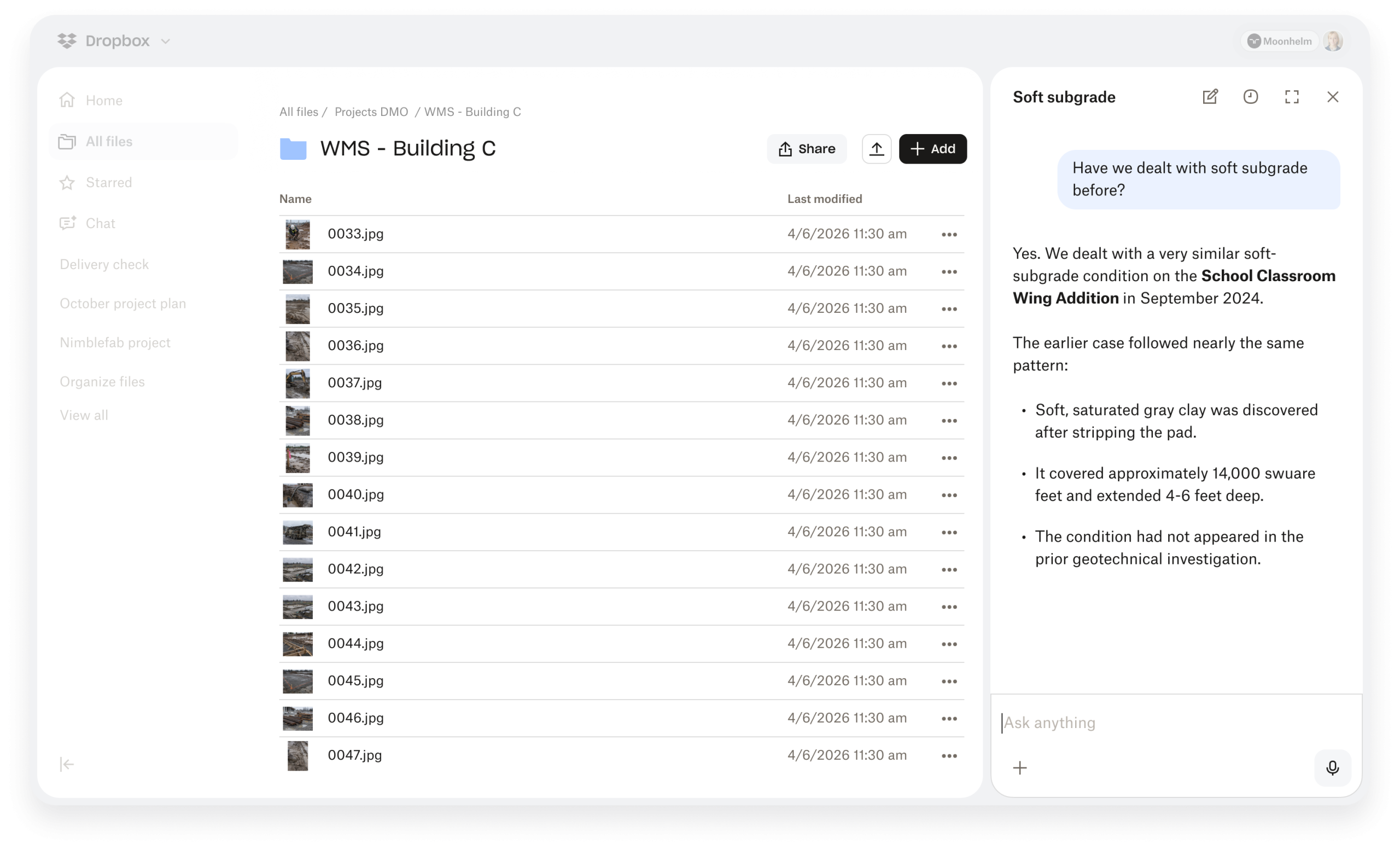
Why adopt Dropbox for managing construction drawings?
Adopting an enterprise-grade cloud architecture tailored for high-density graphic assets transforms field operations. Implementing a robust dropbox construction drawing management workflow standardizes data transmission from central design offices directly to site inspection tablets, while strengthening overall remote team collaboration with Dropbox.
1. View and review large CAD, DWG, and BIM files directly without consuming storage
The high-performance preview engine embedded in Dropbox natively processes complex technical drawing formats—including DWG, DXF, DWF, and high-density vector PDFs—without requiring users to download full file payloads to local mobile storage. Field engineers can seamlessly pinch-to-zoom, inspect line weights, verify grid coordinates, and review fine architectural details directly on touchscreens.
Through deep integration with mobile CAD tools, such as the AutoCAD Mobile Viewer per Autodesk’s official site, engineers can launch Dropbox-stored drawings directly within AutoCAD Mobile. This allows field crews to take precise linear measurements, calculate floor areas, and toggle layer visibility while standing directly on the active slab.
2. Offline Access mode for job sites with weak network signals
To guarantee uninterrupted site inspections inside underground basements or remote infrastructure corridors, Dropbox’s “Make Available Offline” capability allows field staff to pre-sync entire project folders over site Wi-Fi before stepping onto the job site. The Dropbox mobile app caches optimized vector versions locally to the device.
Even in complete cellular dead zones, technical drawings load instantly with razor-sharp vector clarity. Site photos, punch-list notes, and voice annotations added offline automatically sync back to the cloud master directory the exact second the mobile device detects a cellular or Wi-Fi signal.
3. Automatic Version History to eliminate construction errors
Similar to established enterprise workflows for managing CAD/CNC files on Dropbox, automated Version History (retaining prior file states for 180 to 365 days) eliminates version ambiguity across all project stakeholders.
When a structural engineer in the main office saves an revised DWG file over the network, Dropbox instantly pushes the updated iteration across all field tablets in real time. The underlying shared link, file path, and folder structure remain unchanged, ensuring field foremen always access the single source of truth. If a discrepancy arises, engineers can perform instant side-by-side version comparisons or restore legacy drawings in seconds.
4. Granular access control and enterprise-grade security standards
Construction ecosystems require secure file sharing across diverse external entities: project owners, architectural consultants, general contractors, sub-contractors, and third-party inspectors. Configuring granular Dropbox file access permissions protects digital assets across every phase of construction:
- View-Only and Watermarked Access: Restrict sub-contractors and site labor to view-only rights on mobile screens, preventing unauthorized source CAD file downloads, modifications, or external sharing.
- Password Protection & Expiration Dates: Apply mandatory passwords and custom expiration limits to download links containing tender documentation, structural calculations, or commercial BOQs.
- Remote Wipe capability: If a site tablet is misplaced or stolen on job sites, administrators can instantly trigger a Remote Wipe to erase all cached project data and terminate active sessions.
All data transferred through dropbox construction drawing management is secured with AES 256-bit encryption at rest and SSL/TLS in transit, meeting strict international governance standards, including international OpenBIM standards from buildingSMART. You can also review detailed enterprise compliance framework details directly on Dropbox’s official security standards page.
5. Block-level Sync technology to save mobile bandwidth
Unlike conventional cloud storage providers that re-upload an entire 500MB Revit file or multi-sheet CAD set after a minor detail modification, Dropbox utilizes differential Block-level sync. It identifies and transfers only the specific data blocks (often just a few kilobytes) that were altered.
This results in synchronization speeds up to 10 times faster than standard platforms, drastically reducing mobile data consumption over 4G/5G networks and preserving battery life on field devices.
Detailed comparison: Traditional methods vs. Dropbox construction drawing management
| Comparison Criteria | Traditional Methods (Paper / Zalo / Email) | Dropbox Construction Drawing Management |
|---|---|---|
| Handling Large Files | Compressed/blurry screenshots, slow email downloads, rapidly fills mobile storage space. | Smooth native preview of CAD/BIM/4K PDF files without draining local mobile storage. |
| Offline Work Environment | Carrying heavy paper rolls vulnerable to water, rain, tearing, and loss on site. | Offline Access mode allows instant inspection of crisp vector drawings without any network signal. |
| Version Control Integrity | Extreme risk of construction error due to duplicate names (v1, v2_final, final_FIXED). | Automated single-source versioning with up to 365 days of version history recovery. |
| Security & Rights Control | Uncontrolled forwarding of files via public messaging apps with zero download tracking. | Granular role-based view-only access, link passwords, expiration dates, and instant Remote Wipe. |
| Site Feedback & Markups | Manual paper redlines or disconnected chat photos that are easily lost or misinterpreted. | Direct inline comments, pin annotations, photo attachments, and coordinate tagging inside the app. |
| Sync Speed & Data Usage | Re-downloads 100% of full file size for every minor design update over cellular data. | Block-level sync transfers only modified byte blocks, cutting data usage by up to 90%. |
Technical drawing formats supported smoothly on Dropbox Mobile
A modern dropbox construction drawing management workflow handles all major technical file extensions across architectural, structural, civil, and MEP disciplines:
- 2D & 3D CAD Files: .DWG, .DXF, .DWF (integrated with AutoCAD Mobile for full layer and measurement control).
- BIM Models & Assemblies: .RVT, .IFC, .NWD, .NWC (viewable via high-res 3D PDF exports or native render previews).
- Technical Document & Vector Formats: Multi-sheet vector .PDF, .PLT, and uncompressed high-resolution .TIFF drawings.
- 3D Visualizations & Renderings: .SKP (SketchUp), .3DS, .MAX, alongside 4K .PNG, .JPG, and 360-degree site panorama images.
- Project Schedules & Financial Documentation: .MPP (Microsoft Project), .XLSX (Bill of Quantities, cost estimation sheets), and .DOCX (inspection logs).
5-step workflow to implement Dropbox construction drawing management on site
To successfully roll out dropbox construction drawing management across multi-disciplinary project teams, project directors and BIM managers should follow this 5-step operational framework:
- Step 1: Establish an ISO 19650-compliant folder structure: Set up a centralized master directory on Dropbox Business. Segment subfolders systematically into standardized directories (e.g., 01_WIP_WorkInProgress, 02_Shared_ApprovedDrawings, 03_Architectural, 04_Structural, 05_MEP, 06_Site_Inspection_Logs, 07_As_Built).
- Step 2: Configure granular role-based permissions: Assign Edit and Owner rights to lead architects and project managers, while enforcing strict View-Only access for site sub-contractors, suppliers, and field labor teams.
- Step 3: Deploy Dropbox Mobile across field hardware: Equip site engineers and quality inspectors with enterprise tablets or smartphones running the Dropbox Mobile app (iOS/Android), authenticated via corporate Single Sign-On (SSO).
- Step 4: Enable Offline Access for active site zones: Prior to visiting job site locations lacking connectivity, engineers toggle “Make Available Offline” for active construction zones, caching current blueprints locally.
- Step 5: Conduct on-site audits and live redlining: When field engineers detect structural conflicts, they drop digital pins directly onto drawing coordinates, attach high-resolution photo evidence, tag design leads via @mentions, and track resolution in real time.
Best practices for optimizing Dropbox construction drawing management for large teams
Maximizing the efficiency of your dropbox construction drawing management deployment requires clear administrative standards and governance policies across all project phases:
Standardize File Naming Conventions
To prevent confusion when handling thousands of drawing revisions on mobile devices, establish strict file naming protocols. Use standardized codes incorporating project IDs, discipline codes, sheet numbers, and revision markers (e.g., PRJ-ARC-FL03-DRW-0102-R03.dwg). Combined with Dropbox search filters, field engineers can locate exact drawing sheets in seconds.
Leverage Dropbox Transfer for Bidding Packages
When distributing large sets of construction drawings to prospective subcontractors during tender phases, use Dropbox Transfer rather than traditional shared folders. Dropbox Transfer allows you to send up to 250GB of files in a single link with custom branding, password protection, expiration dates, and full download delivery confirmation—without giving external parties edit access to your working directories.
Integrate with Electronic Signature Workflows
Site approvals, material compliance certificates, and request-for-information (RFI) sign-offs often bottleneck construction schedules. Integrating dropbox construction drawing management with built-in digital signatures enables site managers to review drawings and sign off on site inspection reports directly from mobile tablets, accelerating workflow approvals while maintaining full legal compliance.
Frequently Asked Questions about Dropbox Construction Drawing Management (FAQ)
1. Does Dropbox construction drawing management support opening AutoCAD (.DWG) files directly?
Yes. The Dropbox Mobile app natively previews .DWG files. When detailed editing or measuring is required, you can open the file stored in Dropbox using the AutoCAD Mobile app with a single tap.
2. Will large CAD or PDF drawings (100MB+) consume all my smartphone memory?
No. Dropbox utilizes cloud previewing and Smart Sync technology. Files use minimal temporary cache memory while being viewed and will not consume local storage unless you explicitly enable Offline Access.
3. How can site engineers view drawings in basements without 4G reception?
Engineers simply toggle “Make Available Offline” for project folders while connected to Wi-Fi. When working offline in basements or dead zones, drawings open seamlessly with full resolution intact.
4. If an engineer loses their phone on site, will project drawings be leaked?
No. IT administrators can access the Dropbox Admin Console to execute a “Remote Wipe.” This immediately removes all cached project files and logged-in sessions from the lost device.
5. How do we ensure field teams never build off outdated drawing revisions?
Thanks to automatic Version History, when design teams overwrite a drawing on the cloud, the file on every engineer’s mobile device updates instantly. Past revisions are archived automatically for auditing purposes.
Purchase official Dropbox Business licenses for the construction industry in Vietnam via Solid & Soft
When procuring enterprise software for construction firms in Vietnam, purchasing directly via foreign credit cards presents significant financial and legal challenges: lack of official VAT invoices recognized by Vietnamese tax authorities, unexpected foreign exchange fees, and a complete absence of localized technical assistance during critical project phases.
Partnering with a local authorized distributor ensures seamless integration when enterprise clients buy licensed Dropbox in Vietnam.
Solid & Soft is an official authorized Dropbox partner in Vietnam, delivering tailored cloud document management solutions for architectural consultancies, main contractors, MEP specialists, and project management boards:
- Issue official financial VAT invoices compliant with Vietnamese corporate tax regulations.
- Flexible domestic bank transfer payments in VND based on transparent billing schedules.
- Dedicated 24/7 technical support in Vietnamese to configure ISO-compliant folder structures and granular security permissions.
- Expert consulting and workflow training on site documentation, BIM integration, and e-signatures in the construction industry on the cloud.
Contact Solid & Soft today to implement a professional dropbox construction drawing management workflow across your site teams and secure competitive enterprise licensing pricing!