Last updated: October 26, 2026
SOLIDWORKS mold design is a comprehensive technological solution that helps mechanical engineers and business leaders optimize the entire mold manufacturing lifecycle—from product design intake, shrink rate analysis, and core/cavity separation, to plastic flow simulation and precise CNC machining programming. As Vietnam’s supporting industries expand rapidly to integrate into global supply chains, implementing a professional SOLIDWORKS mold design workflow serves as a key driver for businesses to enhance competitiveness, minimize try-out costs, and accelerate time-to-market.
1. Overview of the SOLIDWORKS Mold Design Ecosystem
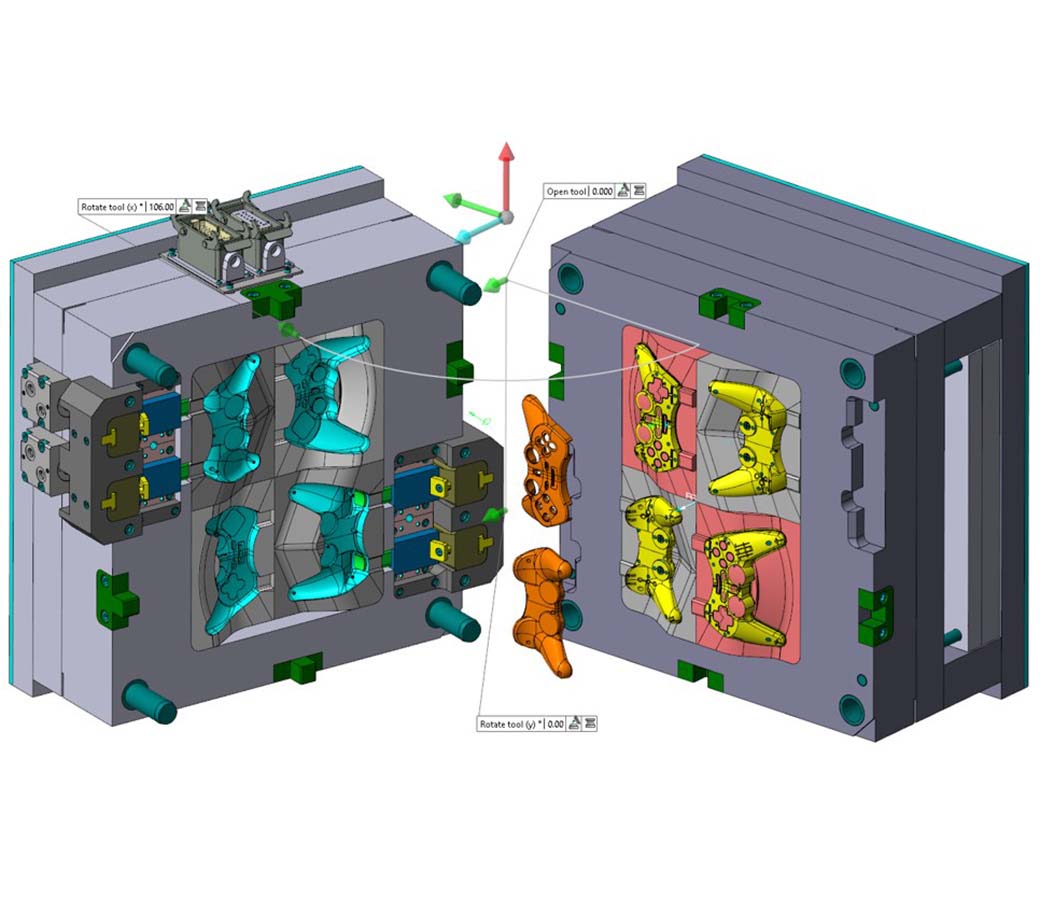
The mold design ecosystem developed by Dassault Systèmes provides a unified working environment within a single, intuitive 3D interface. Instead of relying on disconnected software tools that cause data fragmentation, the SOLIDWORKS mold design solution seamlessly links data across Parts, Assemblies, 2D production drawings, and CAM machining workflows.
According to official SOLIDWORKS technical documentation, integrating specialized modules allows engineers to tackle both simple components and highly complex mold fabrication challenges. Across major industrial zones in Vietnam, the standardized data integration of the SOLIDWORKS mold design platform helps eliminate up to 95% of dimensional errors between design departments and CNC machine shops.
The standardized mold design process within the software covers key operational stages:
- Design for Manufacturing (DFM) Assessment: Perform Draft Analysis, evaluate material shrink factors, and conduct Thickness Analysis to identify non-moldable geometry or air-trap risks early.
- Automated & Semi-Automated Mold Splitting: Generate Parting Lines, Parting Surfaces, Core and Cavity blocks, as well as complex side-cores and lifters.
- Mold Base & Component Assembly: Assemble standard mold bases from libraries such as DME, HASCO, Futaba, and MISUMI, and configure runner systems, gates, and cooling channels.
- Flow Simulation & Validation: Predict filling defects, sink marks, weld lines, and required injection pressure.
- Machining & Production Programming: Generate automated 2D engineering drawings and pass geometry directly to CAM modules for 3-axis to 5-axis CNC milling programming.
2. Core Features of the SOLIDWORKS Mold Design Solution
To meet the rigorous standards demanded by Japanese, South Korean, and European FDI corporations, the software equips engineers with specialized toolsets that automate complex manual tasks.
2.1. Dedicated Mold Design & Mold Tools Suite
The built-in Mold Tools module reduces mold splitting time from days to just a few hours. Highlighted features include:
- Draft Analysis: Color-codes surface draft angles to immediately highlight insufficient draft that could cause dragging or scratching during ejection.
- Scale (Shrinkage Factor Application): Applies precise shrinkage rates based on resin types (ABS, PP, PC, PA66, etc.) to the 3D model prior to core/cavity separation.
- Parting Lines & Shut-off Surfaces: Automatically identifies parting boundaries and seals internal holes (such as pin or valve openings) to create complete parting surfaces.
- Core/Cavity Feature: Splits the model into distinct Core and Cavity blocks with a single click.
2.2. Advanced Plastic Flow Simulation with SOLIDWORKS Plastics
In a modern SOLIDWORKS mold design workflow, engineering simulation is essential to move away from trial-and-error manufacturing. Fully integrated into the CAD interface, this module predicts physical phenomena during injection molding:
- Fill Analysis to determine optimal Gate Locations and prevent Short Shots.
- Air Trap prediction to proactively place appropriate Venting slots across the mold.
- Cooling Channel optimization to ensure uniform thermal dissipation, minimizing part Warping post-ejection.
According to research from Dassault Systèmes, embedding simulation directly within 3D CAD enables toolmakers to reduce mold try-outs and hardened steel modifications by up to 60%.
2.3. Seamless CNC Programming with CAMWorks & SOLIDWORKS CAM
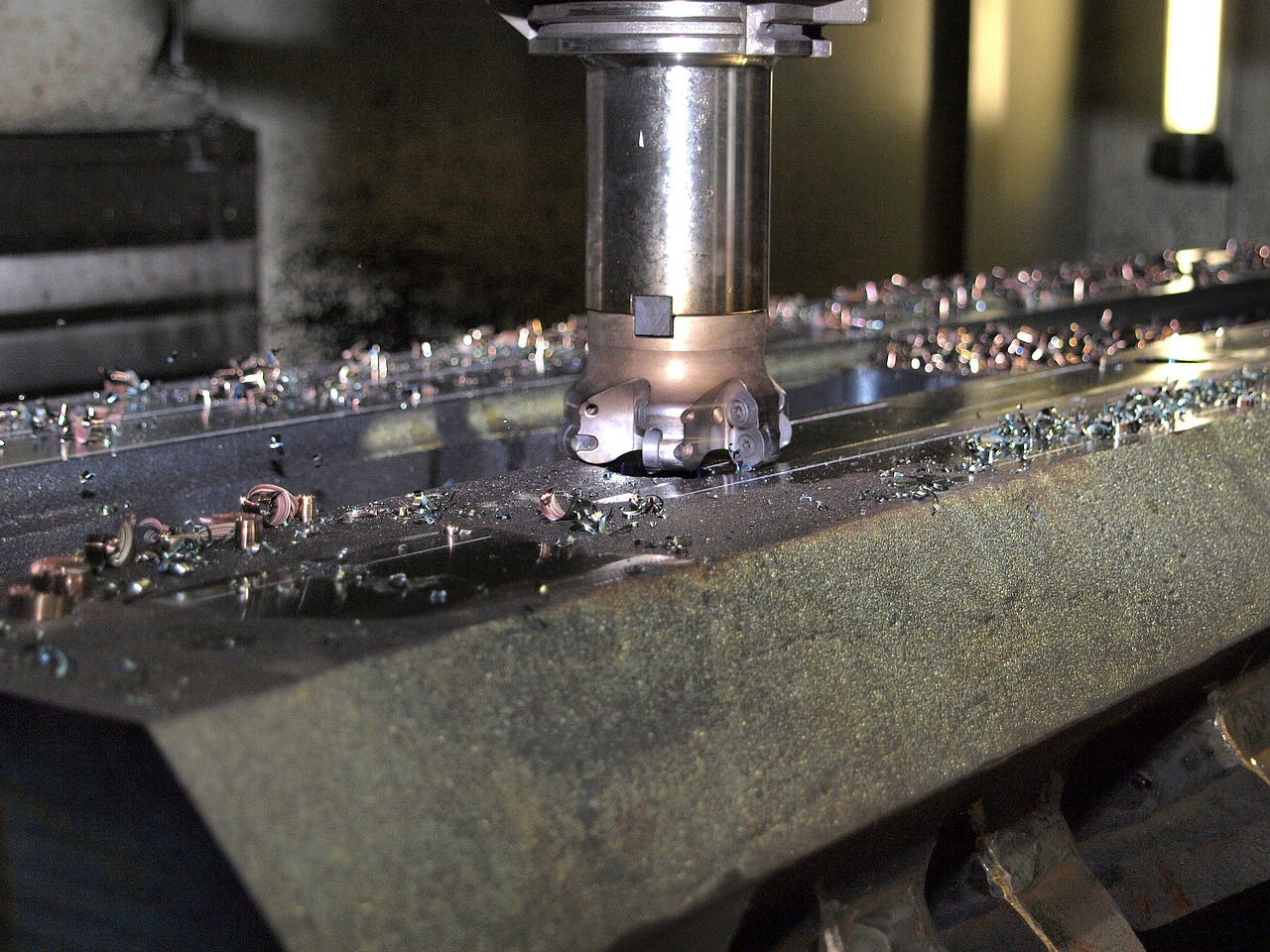
Using SOLIDWORKS mold design offers a major advantage by connecting model geometry directly to CAM software solutions such as SOLIDWORKS CAM. Automatic Feature Recognition analyzes pockets, cavity walls, and hole patterns to generate accurate roughing, finishing, and drilling strategies. Full associativity ensures that when CAD geometry changes, CNC toolpaths automatically update without needing manual reprogramming.
2.4. Mold Engineering Data Management with PDM
Managing thousands of mold drawings and revision histories is a major bottleneck for design teams. With SOLIDWORKS PDM (Product Data Management), complete design histories, core/cavity parameters, and client revision logs are securely archived, supporting parallel collaboration among multiple engineers without risk of file overwrites.
3. Economic Benefits and Practical Efficiency for Machine Shops in Vietnam
Investing in a SOLIDWORKS mold design environment is more than a software purchase; it represents a strategic investment that delivers tangible financial returns for machine shops and mold makers:
- Material & Tooling Savings: Detecting structural flaws early prevents machining errors on expensive tool steels like S50C, NAK80, P20, or SKD61.
- Shorter Manufacturing Lead Times: Automating core/cavity generation and 2D detailing helps machine shops deliver molds 30% to 50% faster than traditional methods.
- Standardized Component Libraries: Utilizing standard catalog components (ejector pins, guide bushings, return pins, springs) eliminates redundant drawing tasks.
- Enhanced Credibility with FDI Partners: Professional 3D documentation and comprehensive simulation reports help suppliers easily pass strict vendor audits.
4. Comparison Table of SOLIDWORKS Configurations for the Mold Industry
Depending on whether your team produces standalone parts or complete, complex mold assemblies, select the optimal configuration based on the summary below:
| Criteria | SOLIDWORKS Standard / Professional | Comprehensive SOLIDWORKS Mold Solution |
|---|---|---|
| 3D CAD & 2D Drafting | Complete core design features | Advanced tools plus standard mold libraries |
| Dedicated Mold Tools | Basic mold splitting tools included | Fully automated splitting & complex surface handling |
| Plastic Flow Simulation | Not included | Integrated SOLIDWORKS Plastics Professional/Premium |
| CNC Machining Programming | SOLIDWORKS CAM Standard (2.5-Axis) | CAMWorks / SOLIDWORKS CAM Professional (3 to 5-Axis) |
| Best Fit For | General machine shops, component fabricators | Specialized plastic injection mold, stamping die, and die-cast makers |
5. 6-Step Workflow to Implement SOLIDWORKS Mold Design in Production
To maximize operational efficiency when adopting SOLIDWORKS mold design, companies should follow this standardized 6-step workflow:
- Step 1 – Data Import & Diagnostic Repair: Import 3D CAD files from neutral formats (STEP, IGES, Parasolid) and use Import Diagnostics to heal open surface gaps.
- Step 2 – DFM & Draft Evaluation: Perform surface checks, apply material shrinkage factors, and define optimal pull directions.
- Step 3 – Core & Cavity Extraction: Create parting lines, shut-off surfaces, and separate the model into Core and Cavity components.
- Step 4 – Mold Base & Mechanism Assembly: Bring standard mold bases into the Assembly environment, placing ejector systems, runners, gates, and cooling channels.
- Step 5 – Injection Simulation: Run flow analysis using SOLIDWORKS Plastics to check for weld lines, sink marks, and air traps.
- Step 6 – 2D Detailing & CAM Hand-off: Automatically generate detail drawings, extract Bills of Materials (BOM), and pass model files to CAM software for CNC milling.
6. Legal Compliance and Software Copyright Security
In an increasingly globalized economy, software license audits present real operational and legal risks for manufacturers. Utilizing unauthorized or cracked SOLIDWORKS software causes system instability, risks data loss, and exposes companies to substantial legal penalties.
Investing in genuine SOLIDWORKS licenses from authorized resellers ensures full compliance. According to official guidelines on Dassault Systèmes Legal Compliance, licensed users receive official software keys, secure malware-free datasets, and access to annual feature upgrades.
As an official authorized SOLIDWORKS reseller in Vietnam, Solid & Soft provides cost-effective SOLIDWORKS mold design solutions tailored to your business. Solid & Soft’s experienced engineering team offers configuration consulting, on-site implementation training, and 24/7 technical support to keep your operations running smoothly.
References
- What is 3D CAD design and modeling software?
- SOLIDWORKS Simulation: FEA analysis
- SOLIDWORKS CAM
- SOLIDWORKS PDM: product data management